Match the height of the modules you place side-by-side on a section.

1. Assign Custom Class
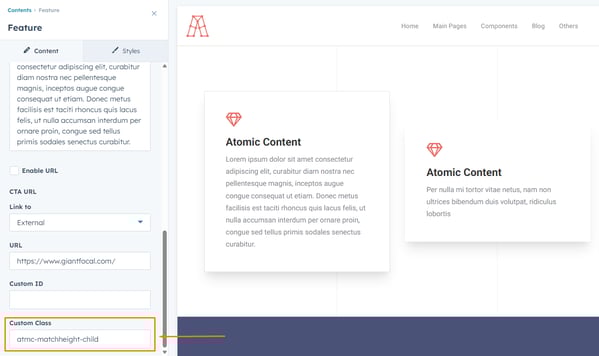
First you will need to add the custom class atmc-matchheight-child to the modules that you want to have a matched height.
2. Add Section Settings
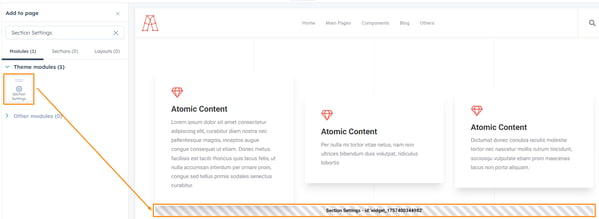
Next, add the Section Settings module by searching for it in the left sidebar, then drag and drop it into the section that contains the modules you want to have matching heights.
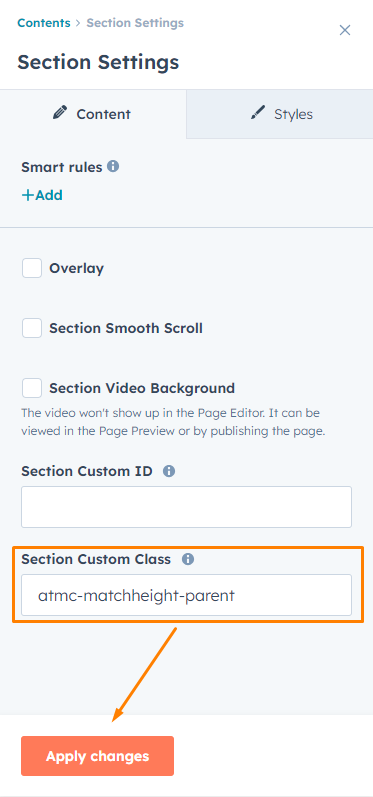
Lastly, you only need to add the custom class atmc-matchheight-parent to the Section Settings module and hit the apply changes button.