HubSpot supports self-hosted videos from the file manager and embedding videos from third-party platforms such as YouTube, Vimeo, Wistia, and many others.
Self-hosted videos
First, you'll need to upload your videos into the file manager.
To embed a self-hosted video, you can use a rich text field.
In the toolbar, click Insert > Video > Hubspot video
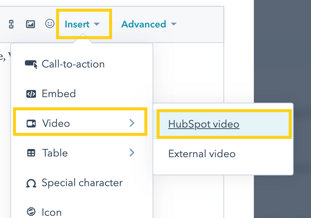
Then choose the video(s) you've uploaded into the file manager.
External (third-party) video platforms
You can use a rich text field in the same steps as a self-hosted video.
But instead of clicking HubSpot video, you'll need to pick HubSpot video:
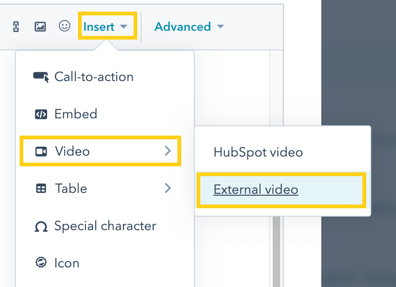
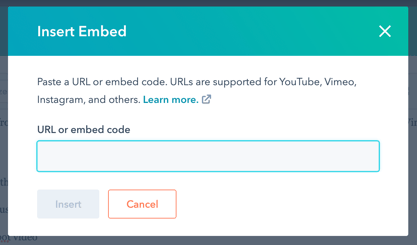
Then paste your external video embed into the box:
Was this guide helpful?
One click — we read every signal and tighten what's confusing.
Thanks — noted